2-Step Verification Code Generator for UNIX Terminal

otp bigdigits
I have been using a time-based one time password (TOTP) generator on my phone with my clod-based accounts at Google, Amazon AWS, GitHub, Microsoft — every service that supports it — for years now. I have over a dozen of these and dragging my phone out every time I need a 2-factor token is a real pain.

I spend a lot of my time working on a trusted computer and I want to be able to generate the TOTP codes easily from that without having to use my phone. I also want to have reasonable confidence that the system is secure. I put together an old-school Bourne Shell script that does the job:

  • My OTP keys are stored in a file that is encrypted with gnupg and only decrypted momentarily to generate the codes.
  • The encrypted key file can by synchronized between computers using an untrusted service like DropBox or Google Drive as long as the private GPG key is kept secure.
  • I’m using oathtool from oath-toolkit to generate the on-time code.

Pro Tip: Most sites don’t intend you to have more than one token that generates passwords. Their enrollment process typically involves scanning a QR Code to enroll a new private key into Google Authenticator or other OATH client. I always take a screen shot of these QR Codes and keep them stored in a safe place.

Code

Save this script as an executable file in your path such as /usr/local/bin/otp.

#!/bin/sh
scriptname=`basename $0`
if [ -z $1 ]; then
echo "Generate OATH TOTP Password"
echo ""
echo "Usage:"
echo " $scriptname google"
echo ""
echo "Configuration: $HOME/.otpkeys"
echo "Format: name:key"
echo
echo "Preferably encrypt with gpg --armor to create .opkeys.asc"
echo "and then delete .optkeys"
echo ""
echo "Optionally set OTPKEYS_PATH environment variable to GPG"
echo "with path to GPG encrypted name:key file."
exit
fi
if [ -z "$(which oathtool)" ]; then
echo "othtool not found in \$PATH"
echo "try:"
echo "MacPorts: port install oath-toolkit"
echo "Debian: apt-get install oathtool"
echo "Red Hat: yum install oathtool"
exit
fi
if [ -z "$OTPKEYS_PATH" ]; then
if [ -f "$HOME/.otpkeys.asc" ]; then
otpkeys_path="$HOME/.otpkeys.asc"
else
otpkeys_path="$HOME/.otpkeys"
fi
else
otpkeys_path=$OTPKEYS_PATH
fi
if [ -z "$otpkeys_path" ]; then
>&2 echo "You need to create $otpkeys_path"
exit 1
fi
if [ "$otpkeys_path" = "$HOME/.otpkeys" ]; then
red='\033[0;31m'
NC='\033[0m' # No Color
>&2 echo "${red}WARNING: unencrypted ~/.otpkeys"
>&2 echo "do: gpg --encrypt --recipient your-email --armor ~/.otpkeys"
>&2 echo "and then delete ~/.otpkeys"
>&2 echo "${NC}"
otpkey=`grep ^$1 "$otpkeys_path" | cut -d":" -f 2 | sed "s/ //g"`
else
otpkey=`gpg --batch --decrypt "$otpkeys_path" 2> /dev/null | grep "^$1:" | cut -d":" -f 2 | sed "s/ //g"`
fi
if [ -z "$otpkey" ]
then
echo "$scriptname: TOTP key name not found"
exit
fi
oathtool --totp -b "$otpkey"
view raw otp hosted with ❤ by GitHub

In order to use my script you need to already have gnupg installed and configured with a private key.

You then need to create a plain text file that contains key:value pairs. Think of these as an associative array or dictionary where the lookup key is a memorable name and the value is a base32 encoded OATH key.

Example

fake:ORUGS4ZNNFZS2YJNMZQWWZJNNNSXS===
also-fake:ORUGS4ZNNFZS2YLMONXS2ZTBNNSQ====

Encrypt this file of name and key associations with gpg in ASCII-armor format with yourself as the recipient and save the output file as ~/.otpkeys.

$ gpg --encrypt --armor --recipient you@your-email-address.com otpkeys
$ mv otpkeys.asc ~/.otpkeys.asc

Now the script will start working. For example, generate a code for the “fake” key in the sample file (your result should be different as the time will be different):

$ otp fake
487036

Extracting keys from QR Codes

At this point you may be thinking, “OK, but how the hell do I get the OTP keys to encrypt into the .otpkeys file?”

The ZBar project includes a binary zbarimg which will extract the contents of a QR Code as text in your terminal. The OATH QR Codes contain a URL and a portion of that is an obvious base32 string that is the key. On rare occasions, you may need to pad the ‘=’ at the end of the string to make it a valid base32 string that works with oathtool becuase oathtool is picky.

My favorite package manager for OS X, MacPorts, doesn’t have ZBar so I had to build it from source. Homebrew has a formula for zbar. If you are using Linux, it is probably already packaged for you. Zbar depends on ImageMagick to build. If you have ImageMagick and its library dependencies, Zbar should build for you. Clone the Zbar repo with git, check out the tag for the most recent release — currently “0.10” — and build it.

$ git clone git@github.com:Zbar/Zbar
$ cd Zbar
$ git checkout 0.10
$ make
$ sudo make install

Once you have ZBar installed, you should have zbarimg in your path and you can use it to extract the otpauth URL from your QR Code screenshot.

$ zbarimg ~/Documents/personal/totp-fake-aws.png 
QR-Code:otpauth://totp/breiter@fake-aws?secret=ORUGS4ZNNFZS2YJNMZQWWZJNNNSXS===
scanned 1 barcode symbols from 1 images in 0 seconds

I hope you already have screen shots of all your QR Codes or else you will need to generate new OTP keys for all your services and take a screen shot of the QR Code this time.

Syncing OTP key file with other computers

The otp script looks for an environmental variable OTPKEYS_PATH. You can use this to move your otp key file database to another location than ~/.otpkeys.asc. For example put it in Google Drive point the otp script to it by setting OTPKEYS_PATH in ~/.bashrc.

#path to GPG-encrypted otp key database
export OTPKEYS_PATH=~/Google\ Drive/otpkeys.asc

Now you can generate your OTP codes from the terminal in your trusted computers whenever you need them and enjoy a respite from constantly dragging your phone out of your pocket.

DIY Google Hangouts Client Independent of Chrome Browser

Hangouts Logo

Safari, Chrome and Battery Life

Remember when Chrome was new and fast and light and minimalist? The name Chrome was meant an in-joke to the UX jargon chrome, meaning the frame around an app. Chrome was just a frame to view the web. Those days are long gone. Now that Chrome has a plurality market share, Google is positioning it as an enhanced web experience, just like Microsoft did with IE. Chrome is a great browser but it also wants to be an operating system that has its own launcher and app ecosystem. It literally is an operating system when packaged as Chrome OS. Chrome is a large application these days.

With the power management improvements and battery shaming Apple built into OS X 10.9 and 10.10, is has become clear to me that Chrome requires a lot of power and memory to run. Running Chrome with only core Google plugins and extensions for Hangouts and Drive, I get about 2 hours less battery life on my 2014 15″ MacBook Pro 11,2. To put that in perspective, it is the same ballpark that I lose if I fire up VMWare to run my Windows Server 2012 R2 with Visual Studio. Running Chrome is literally a similar workload to running a hypervisor running a whole other operating system.

Enough with the Extensions

Transitioning away from Chrome is not easy, especially if you get hooked on the extension and app ecosystem. Without my even realizing it, I left the Open Web and moved into Google’s Web. I hadn’t really paid attention but it turns out that the extensions themselves each consume a lot of resources and I have run into extensions that monetize with sneaky tricks. My first step to wean myself out of this cesspool was to go on an acetic extension diet. In Chrome, I have two extensions:

In Safari and Firefox, I only have the Adblock Plus extension and nothing else.

(AdBlock Plus has become a controversial topic because of their extortion of big sites as a monetization strategy. I’ve turned off “acceptable ads” and I don’t want to see any ads. If it wasn’t AdBlock Plus, I would use something else and have done so in the past. This may make me a bad person. I don’t care. The ad networks are now a malware vector and the quantity of the ads is overwhelming. The internet needs a new monetization strategy.)

Hangouts and XMPP/Jabber

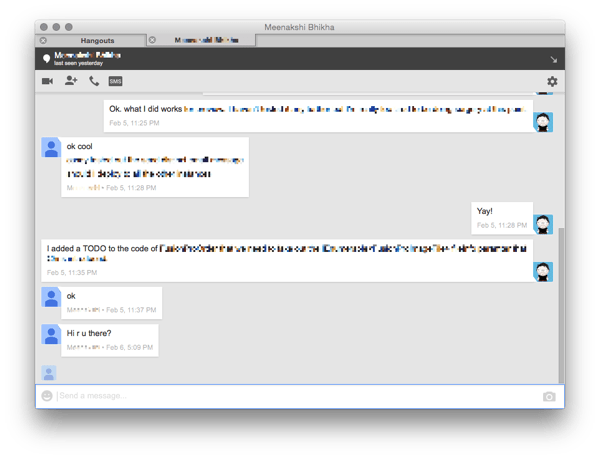
The extension diet caused me a problem because it killed Hangouts. We use Hangouts at my company so that’s a problem. I tried using the XMPP/Jabber protocol gateway to Hangouts but it is unsatisfactory:

  • The Jabber client stream doesn’t include any messages sent or received when Jabber is not connected
  • Jabber gets disconnected all the time
  • Voice and Video don’t work, although they used to when Hangouts was Google Talk
  • Google Voice voicemail messages are not delivered to Jabber
  • Google Voice SMS integration doesn’t work

So basically the XMPP gateway for Hangouts sucks.

Roll Your Own Hangouts.app With Fluid.app

It turns out that there is a Hangouts page on Google+. This page works in Chrome but also in Safari and Firefox. Pretty much everything in the Hangouts works. The only problem is that I can’t remember to open a browser window and point it there.

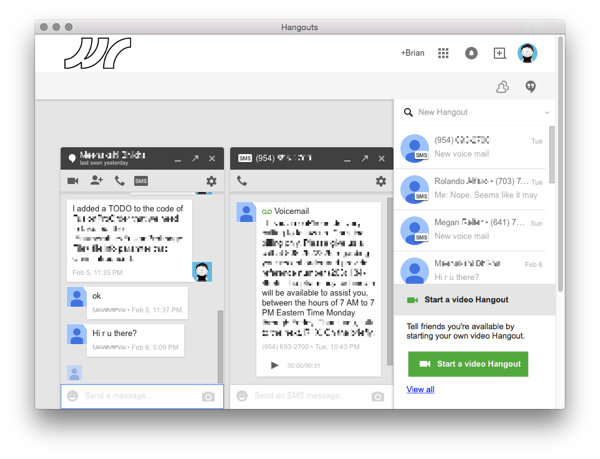
If you kind of squint at the Hangouts Google+ page, it kind of looks like a cross between the Hangouts Chrome extension and the Hangouts Chrome app for Windows but with a bunch of other crap in there too. I got the idea that I could get something similar to the Hangouts App for Chrome for Windows and Chrome OS on OS X if I used Fluid.app to roll my own native app wrapper for Hangouts. Fluid.app is a tool for generating WebKit site wrapper apps and it works pretty well to solve my Hangouts problem.

  • Chat history works
  • SMS and Voicemail works
  • Voice and Video works
  • It does everything that I want it to do
  • I can even pop out chats in and out of a tab or new window

Screen Shot 2015 02 11 at 12 19 25 PM
Screen Shot 2015 02 11 at 12 24 11 PM

Recipe

Fluid.app is a pretty geeky tool but the recipe to create a Hangouts app is pretty simple. At the most basic level, you can just create a new Fluid app by pointing to https://plus.google.com/hangouts and be done. It will not work correctly until you set user agent string for your new Hangouts.app to be Safari 7 but once you do that, it will work fine. You can use the Hangouts logo at the top of this article for the Dock icon.

By default Fluid apps use Safari’s cookies and will load Safari plugins. That means my Hangouts.app Just WorksTM. I am logged in by my Google Apps token in Safari. The Google Voice and Video plugin that I installed for Chrome also works in Safari and in the Hangouts.app to enable voice and video.

If you want to keep Hangouts open, even if you close the window, then in the Hangouts.app Preferences go to Behavior and select “Closing the last browser window: only hides the window”.

If you want it to be more minimalist standalone app look, then it is mostly a matter of hiding elements with some custom CSS injection in the Window > Userstyles menu.

Pattern: *plus.google.com*hangouts*

    div.Ege.qMc {
        visibility:hidden;
    }

    div#gbq {
        visibility:hidden;
    }

    div.gb_8.gb_Sc.gb_i.gb_Rc.gb_Qc {
        visibility:hidden;
    }

    div.ona.Fdb.csa {
        visibility:hidden;
    }

    div.Dge.fOa.vld {
        visibility:hidden;
    }

    div.Ima.dacD0d {
        visibility:hidden;
    }

    div.Bdc.FQb {
        visibility:hidden;
    }

And to add a little slickness add a little Userscript to fix the logo link so it links to /hangouts to pop out the buddy list by default as shown in my screenshots.

Pattern: *plus.google.com*hangouts*

    var i=0, 
        a = document.getElementsByClassName('gb_Wa gb_Ra'); //home logo link

    for(i=0; i<a.length; i++) {
        a[i].href='/hangouts';
    }

    window.onload = function() {
        setTimeout(function() {
        var j, h = document.getElementsByClassName('qoeSyc uoNTwd'); //hangouts buddy list icon element
        for(j=0; j<h.length; j++) {
            h[j].click(); //open the buddy list
        }
       }, 3000);
    };

Overall, I’m pretty pleased with how this turned out. I’m able to easily control my logged-in status on Hangouts by launching or exiting the app from my Dock. All the key feautures of Hangouts that I use work.

Update

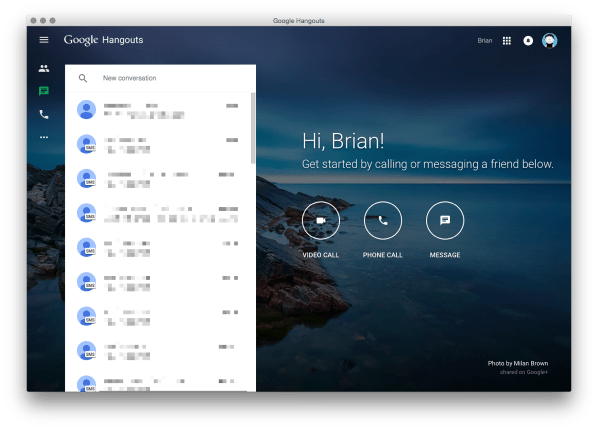
These instructions are now obsolete. Google has created a standalone website for Hangouts at https://hangouts.google.com/. This site works great as a Fluid app without having to do any of the javascript and css hacks described above.

Screen Shot 2015 08 20 at 10 36 32 AM