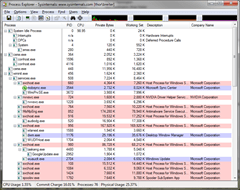
 Process Explorer by Mark Russinovich is a great improvement over the Task Manager program that ships with Windows. It give a ton of information about processes running on your computer. It keeps presents a full range of stats on every process including memory consumption and CPU time, loaded DLLs and open handle, strings embedded in the binary, environmental variables defined for the process, the full arguments used to start the process and nifty tools to find a process or a handle and a handy restart process. It is a great aid to debugging. ProcExp has some quirks when running on x64 Windows, though.
I have run my workstation as a “User” without admin rights for over 12 years since the days when I started running NT4 on my laptop. I used to have to log out and log in as an “Administrator” to install software or make system changes. There were tweaks you could make to dial back the security for some little things like creating a security role that could change the system date and time (which allows you to open the old-style date and time applet by clicking on the taskbar clock). With Windows 2000, things got a lot better with the runas service (like su(1) on UNIX) but there were still some painful quirks because, for example, some software expects to be installed by the same admin user account that is using it. That’s where Aaron Margolis’s excellent makemeadmin script comes in. And finally with Windows Vista, we get UAC which, is nothing more than a speedbump warning system if you are an Administrator. However, if you are a non-Admin user it is a graphical just-in-time way to change the security of a running process by giving it Administrator credentials.
One of the main advantages of running with a limited user account (LUA) is that binaries in Program Files where they are protected from tampering by something malicious that you might accidentally invoke. For example, if you got hit with a zero-day browser flaw the worst (and this is very bad) thing that can happen is to have your personal data stolen or corrupted. The system itself cannot be subverted. Rogue usermode binaries cannot be installed and neither can drivers be installed. Hence, you cannot become part of a botnet and this is a very good thing.
Furthermore, most commodity attacks for Windows go straight for installing a rootkit without passing Go. That means instead of doing something bad to you that could succeed they try to do something worse that can’t and they crash doing nothing. That’s not a promise, just a generalization. AppLocker is what you need to take LUA to the next level to prevent unauthorized code from executing at all.
Anyway… Enough back story. Suffice it to say that I run my system without administrative rights and I don’t want to be typing in my admin credentials unless actually necessary.
The problem is that the x64 version of Process Explorer is embedded inside of the 32-bit version. When you invoke the 32-bit version of ProcExp on x64 Windows, procexp.exe extracts procexp64.exe into the same directory where it is currently running and starts procexp64.exe. If you have your Sysinternals tools in Program Files then in Vista or later with UAC turned on this generates a UAC prompt because procexp.exe is trying to write to the protected Program Files directory tree. (On Windows Server 2003 x64 or Windows XP x64 you get an access denied.) After procex64.exe exits the file is deleted.
ProcExp can actually run just fine without elevated permissions unless you need process details for a service or some other process running with another user’s credentials and procexp has a way to elevate itself to deal with that scenario, just like Task Manager.
Here is the trick to get procexp working LUA in Program Files on x64:
- Download the procexp ZIP archive from Technet
- Extract the ZIP file somewhere and run procexp.exe
- Accept the license prompt
- Make a copy of procexp64.exe (CTRL+C, CTRL+V will suffice)
- Exit procexp.exe.
- Delete procexp.exe.
- Rename your copy of procexp64.exe to procexp.exe
- Copy procexp.exe to your Sysinternals folder in “C:\Program Files”
Mark Russinovich could also solve this issue to either releasing a standalone x64 binary of procexp or changing the behavior of the extraction so that procexp64.exe doesn’t get deleted on exit (meaning you would just elevate once). In the mean time, the workaround isn’t too painful.


 Brian Reiter's Thoughtful Code