FIXED: Boot Camp Audio Pops and Crackles with Windows 7 x64
August 16, 2010 2 Comments
 I have passed the 96 hour mark with a working fix for my audio problems with Boot Camp 3.1 running Windows 7 x64. To recap, I recently did a fresh installation of Windows 7 on my Mac Book Pro unibody (late 2009). Afterward, I started getting audio anomalies in the form of loud pops and permanent crackle distortions. These went away if I restarted audiosrv or reset the drivers in any way. For example, unplugging and plugging the speakers back into the minijack would fix it for a while as would turning audio enhancements on and off in the control panel for one of the devices.
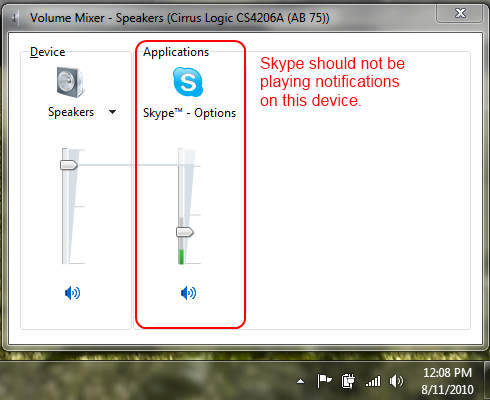
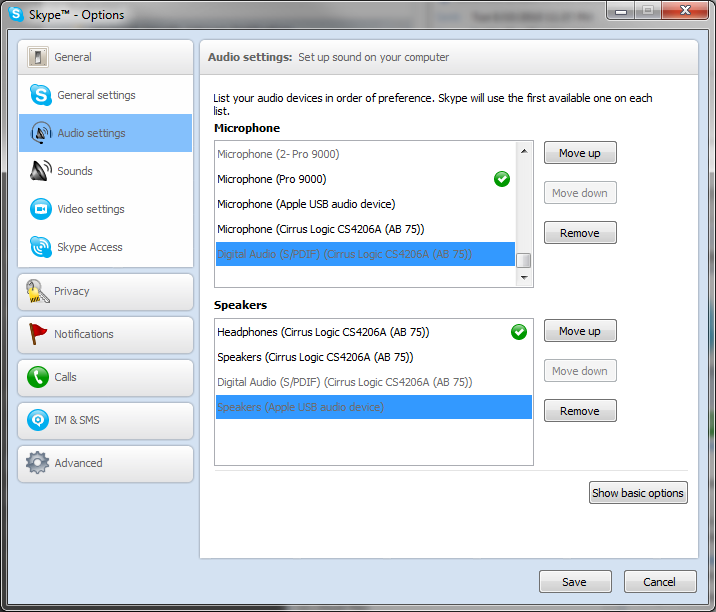
I tried getting the latest Crystal Audio driver from Apple and a solution from the interwebs that suggested disabling 802.11a. I also dug up a much newer version of the Broadcom wireless network card driver than Apple is distributing. I tried fiddling with Skype, which seemed to be part of the problem. I also disabled the USB audio device in my Apple Cinematic Display. None of these interventions totally solved the problem.
Then I came across a KB article that describes a similar but different issue with USB audio:
- You attach a USB audio device to a computer that is running Windows 7 or Windows Server 2008 R2.
- You configure this device as the default audio device.
- You put the computer into the S3 sleep mode while an application plays audio.
- You disconnect the USB audio device while the computer is in the S3 sleep mode.
- You resume the computer from the S3 sleep mode.
In this scenario, the application that was playing audio stops responding. Additionally, all the other audio-related applications stop responding. For example, Volume Mixer also stops responding.
This is similar. My problems with mangled audio seemed to be related to power management, sleep yes but also not exclusively. My symptoms were much less extreme than the ones described: corruption instead of outright failure. The hotfix replaces the usbaudio.sys driver that shipped with Windows 7/2008R2 gold with a new version from July 14, 2010. What the heck, usbaudio.sys, is being used by one of the audio devices so I decided to give it a try.
Viola. It fixed my issue. I have had no audio squirreliness in 4 days where I previously could not have gone 4 hours.
What has me really scratching my head is how did I not have this problem before? I was running Windows 7 for a year on this computer and I didn’t really notice much of an audio problem until two weeks ago. Maybe it is the sort of thing that you don’t notice until you do and then you really notice.
Microsoft KB article 2122063: “The audio applications stop responding in Windows 7 or in Windows Server 2008 R2 after you resume the computer from the S3 sleep mode”



 I have a confession. When .NET and C# beta came out in 1999, I was confused by the definition of struct as a “value type” allocated on the stack and class as a “reference type” allocated on the heap. We were told structs are lean and fast while classes are heavy and slow. I distinctly recall searching for every imaginable opportunity to use the struct keyword. I further recall being confused by the statement that everything in C# is passed by value and by the ref and out keywords. I used ref whenever I wanted to modify values in a formal parameter regardless of whether they were structs or classes. What I didn’t realize at the time was that ref and out are really just an explicit use of a pointer. Ref and provide a mechanism to manipulate a value type by pointer instead of manipulating a local copy. For reference types, though, using ref and out is the moral equivalent of using a pointer-to-pointer in C and it is rarely necessary or correct.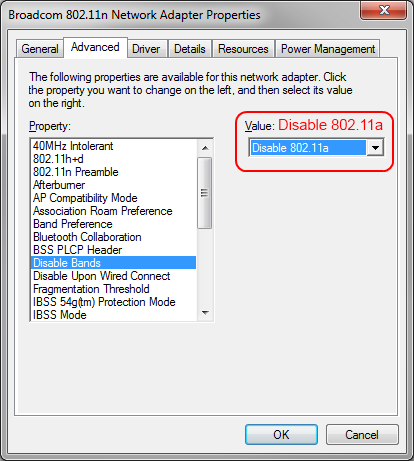
 Brian Reiter's Thoughtful Code